30 Day trail half of the start11 functions grayed out !?

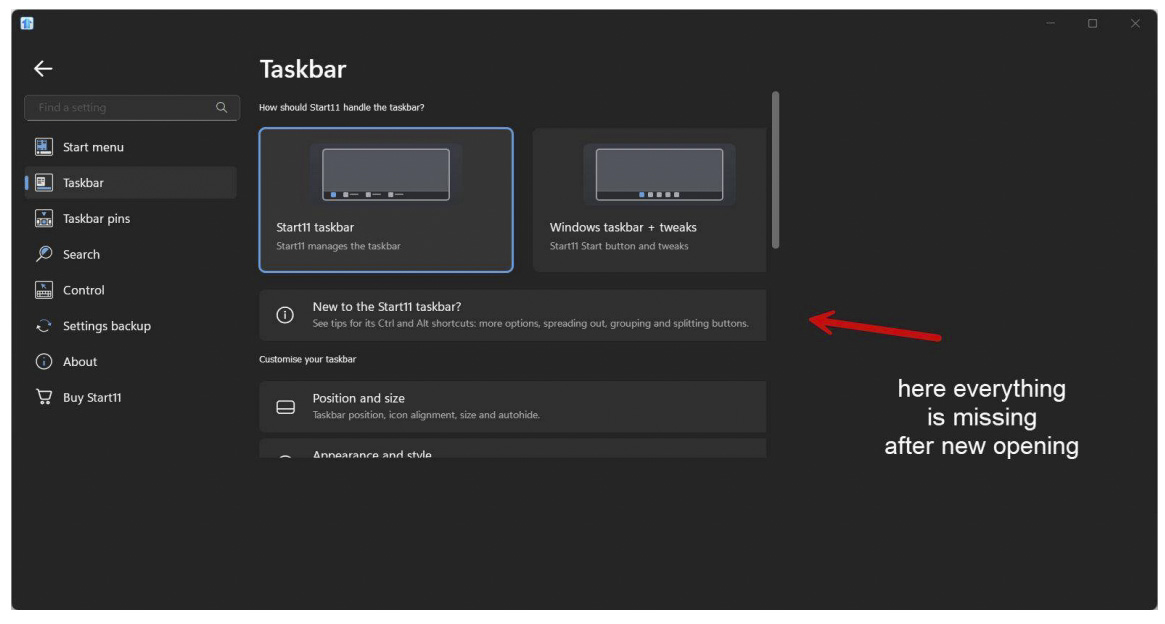
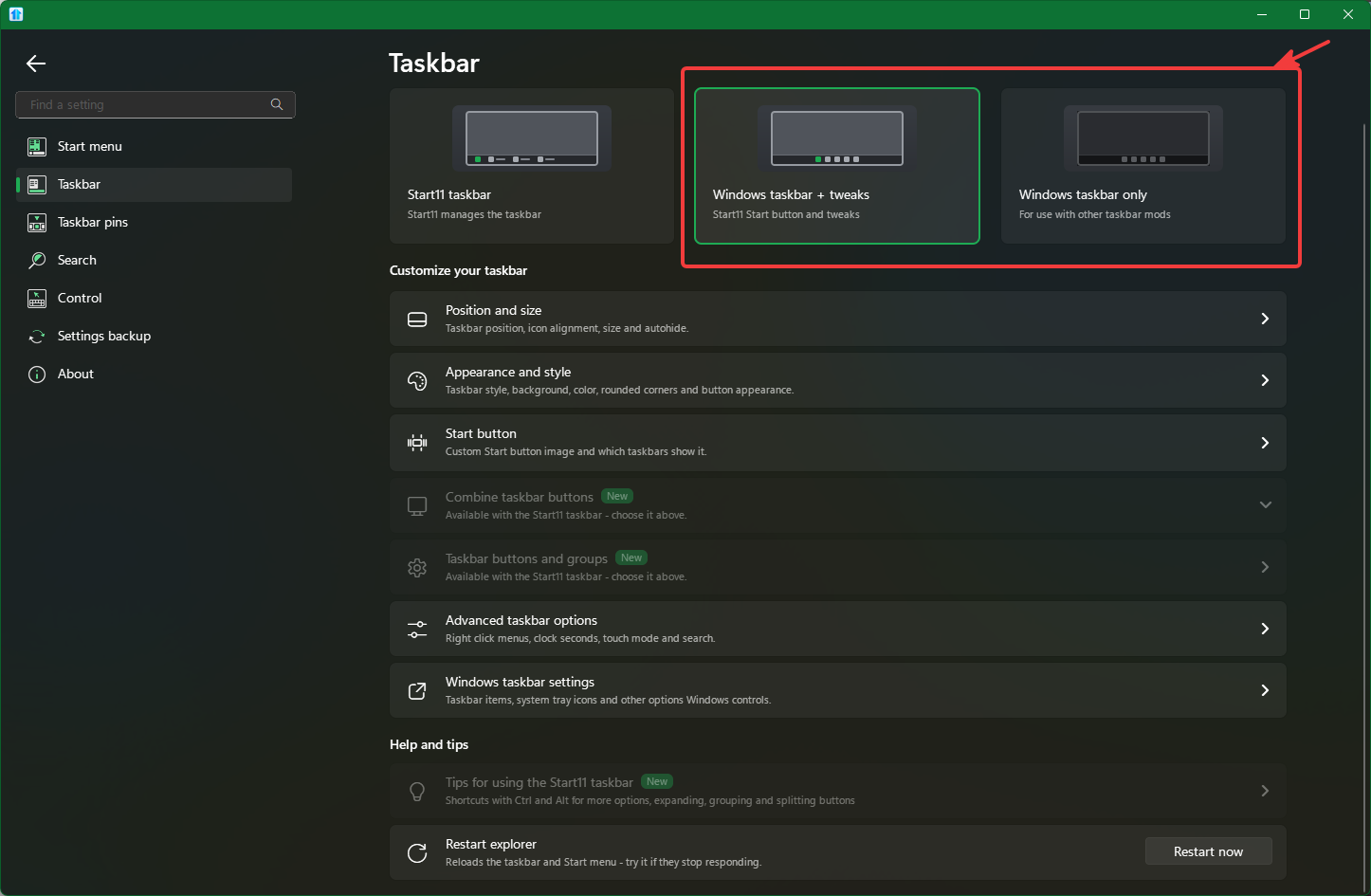
Hello Support, i have downloaded Start11 and activated for first the 30 day trail time, it seam to work but approx 50 % of the functions in the Start11 Setup area are grayed out or not responding when i click on it with the mouse nothing then happens. Is this that i have to get the full paid Version so the not working functions are switched free !? Like this i can not try the Software fully. I know that this is common that when you test Software in trail version that some functions are only working in the full paid versions so i guess this is also like this with your software.

When it is like this, can i buy the full version lifetime license and when it is not working like i need, can i get a refund !? That will give me then at least the chance to test the software without any restrictions.

Thanks 
200 views 6 replies
Reply #1 Top

Hello,
Sorry to hear you are having issues. From what I know the 30 days trial should work as full version. Perhaps you have selected the 
"Windows taskbar + Tweaks" or "Windows taskbar only". These option will disable some or most of Start11 taskbar features. Or, you on Windows 10 system. 

If both is not true we need you to try, uninstall Start11, reboot immediately (important), redownload  the trial. Install it, reboot immediately again. Retest it and report back.

Thank you,
Basj,
Stardock Community Assistant.

+1 Loading…
Reply #2 Top

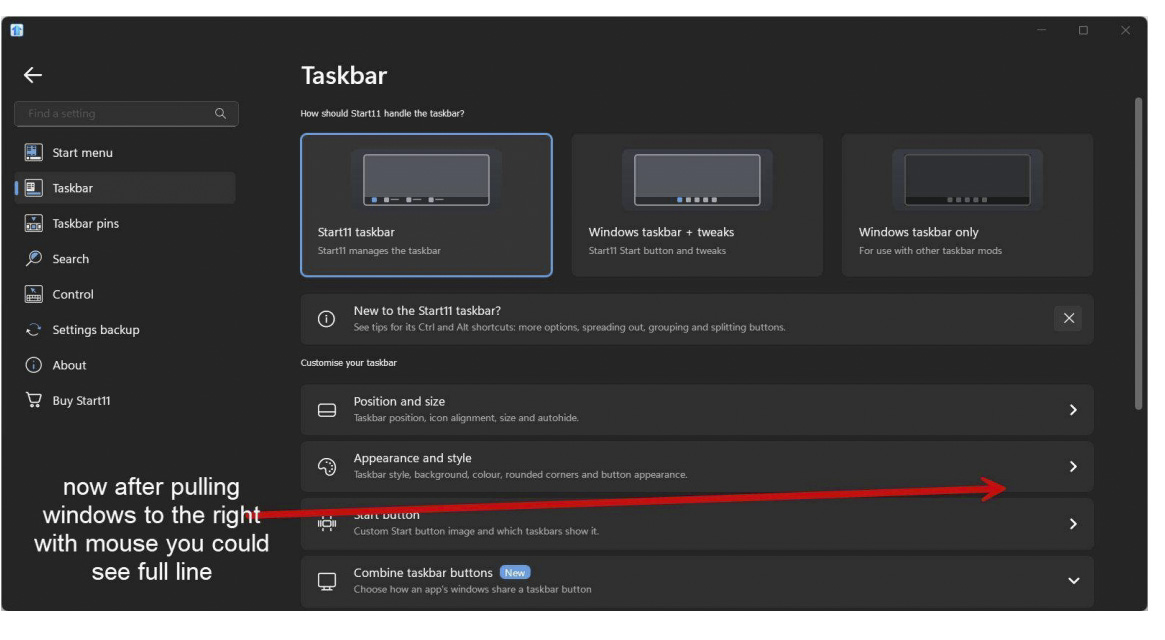
thanks Basj, that was the point ! but i find also out that start11 optionswindows could not handle my screen resolution right ! as that i have find out that i have to pull with my mouse the screen more to the right side, then the start11 option windows flickers and shows me on the right side the missing/hidden switches ! This i have to do every time i open the start11 option window. My workarround is with zmover to fix this Window in size and position, then it starts everytime correct in the right size and resolution and i could see every optionline fully.

As i try now a little bit and i think i could handel some functions very well (as i was using in Windows 10 Classic Shell) now on windows 11 i was switching to start11 one thing i could not find back ? perhaps also here you have an idear !?

on windows 11 Taskbar i had on the left bottom corner (i use the taskbar with middle visibility) the field where it shows me the actual weather and when i click on this field it opens me my widgets page where i have already some for me important Widgets, this field is missing now and i could not find it back, only as i switch the taskbar to the fully left side, then this widgets space show more to the right side the actual weather with the option that i could open my widgets page again.

So gives it a switch to get the actual weather icon (widgets start button) back on the left bottom side !?


Thanks 

Reply #3 Top
Quoting Flash, reply 4149717

but i find also out that start11 optionswindows could not handle my screen resolution right !

End of Flash's quote

It is best if you could include your special "Screen resolution" so we can try to reproduce your issue.

As for the Widget, I believe, it only appear if you set the start button to the left. Center Start button will not work for the Widget to appear.

Thank you,

Basj,
Stardock Community Assistant

+1 Loading…
Reply #4 Top

i hope this helps !?

my screen datas are: 1920x1080 with 125% scale on an 14" laptop screen


and for the widget is only showing when taskicons are on the right side, then start11 as good as it is is not usable for me because for touchscreen use the middle taskbar is a good position and i need the widgets page opening because i have important control widgets and shortcuts running there and like this i could not open the widgetspage any more.

so it was a good try for me and i think i will or have to stay for first with original windows 11 start πŸ₯²

anyway thanks for your support very mutch

keep up πŸ‘

Reply #5 Top
Quoting Flash, reply 4149727

i hope this helps !?

my screen datas are: 1920x1080 with 125% scale on an 14" laptop screen

End of Flash's quote

I can't reproduce this one. Perhaps the issue on specific system. Would like to suggest doing a Sandbox and see if the issue still appear inside the sandbox: https://support.stardock.com/space/SHC/1416855562/Testing+Start+in+Sandbox.

Thank you,

Basj,
Stardock Community Assistant

+1 Loading…
Reply #6 Top

Hi Basj, thanks for trying still to help πŸ˜‰ for this problem with not showing the full window is not the problem for me as i helpt my self with zmover, this opens the active screen so mutch as i would do with pulling my mouse.


The bigger Problem is that my widget-button is not showing anymore down on left down side, so i could not start my widgetpage anymore ! Of corse i could switch in start11 only to the Function windows&tweaks but this disables nearly the half of the functions on start11.


Never mind i switched back to original windows 11 start but i will have an eye on start11 with the next running Updates so when one time start11 will be capable of showing the widgets in full start11 mode down below left the widget button, I would be one of the first to buy that specific start11 version with lifetime licenseπŸ™‚


thanks


with best regards