New files on desktop invisible. Need to refresh. The last straw for me...

Windows Version Number: windows 11
App Version: 6.55

Another problem with Fences.
The time I've wasted on this!
If there is no quick fix for this, I'm done. Too much wasted time and money...

A new file is created on the desktop. Most recently it was a csv file.
The file does not appear on the desktop.
It does appear if I open an Explorer window and have it display the contents of the desktop.

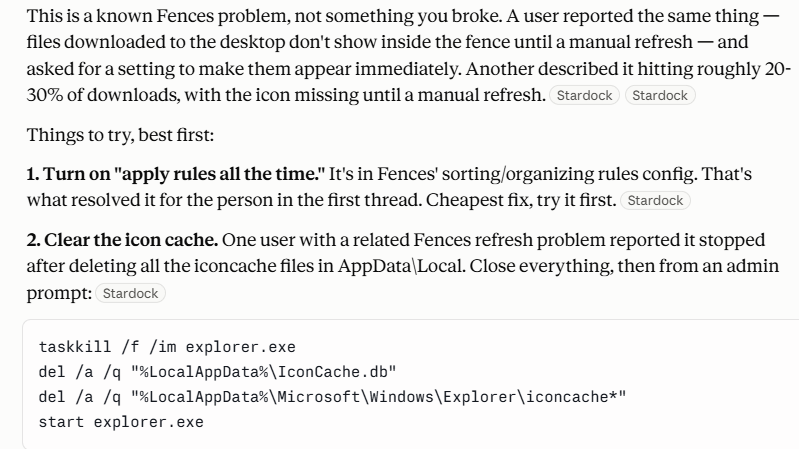
After wasting a great deal of time for this, gave the problem to Claude.

It diagnosed this as a Fences problem. Temporarily fixable with a refresh/F5.

It suggested two fixes. Neither helped.
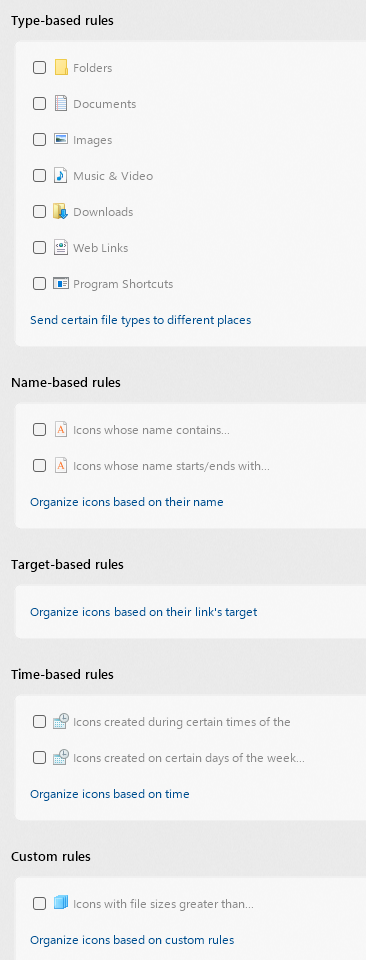
See below.

I have no special rule to catch csv files or any files.

--------------------
-------------------


334 views 10 replies
Reply #1 Top

Hello,
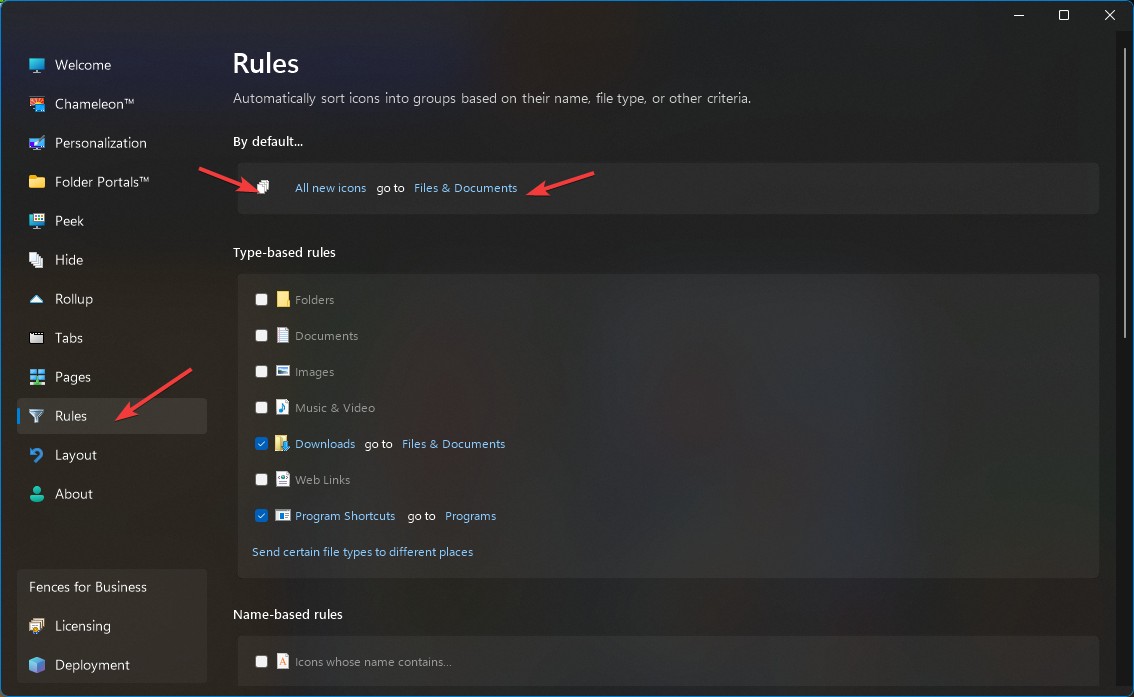
Sorry to hear you are having issues. I believe, your issue is easy fix. Just need to turn on The "All new icons" go to specific Fence of your choice. That way you will always have any new icons goes to that specific Fence. Perhaps you have set it and you forgot it was set and did not look into that Fence.


Thank you,
Basj,
Stardock Community Assistant.

Reply #2 Top

Currently I have "All new icons go to the general desktop."

(Sorry, that was chopped off the top of the screenshot I posted.)

I don't want new icons going to a Fence. I want them sitting generally on my desktop, which is what I thought "the general desktop" meant.

This is how I've used Fences for years. I don't put EVERYTHING into a fence.

Reply #3 Top

Than, my I know what is your setting for Windows->View-> Auto arrange icons and Align Icons to Grid?

Thank you,

Basj,
Stardock Community Assistant

Reply #5 Top

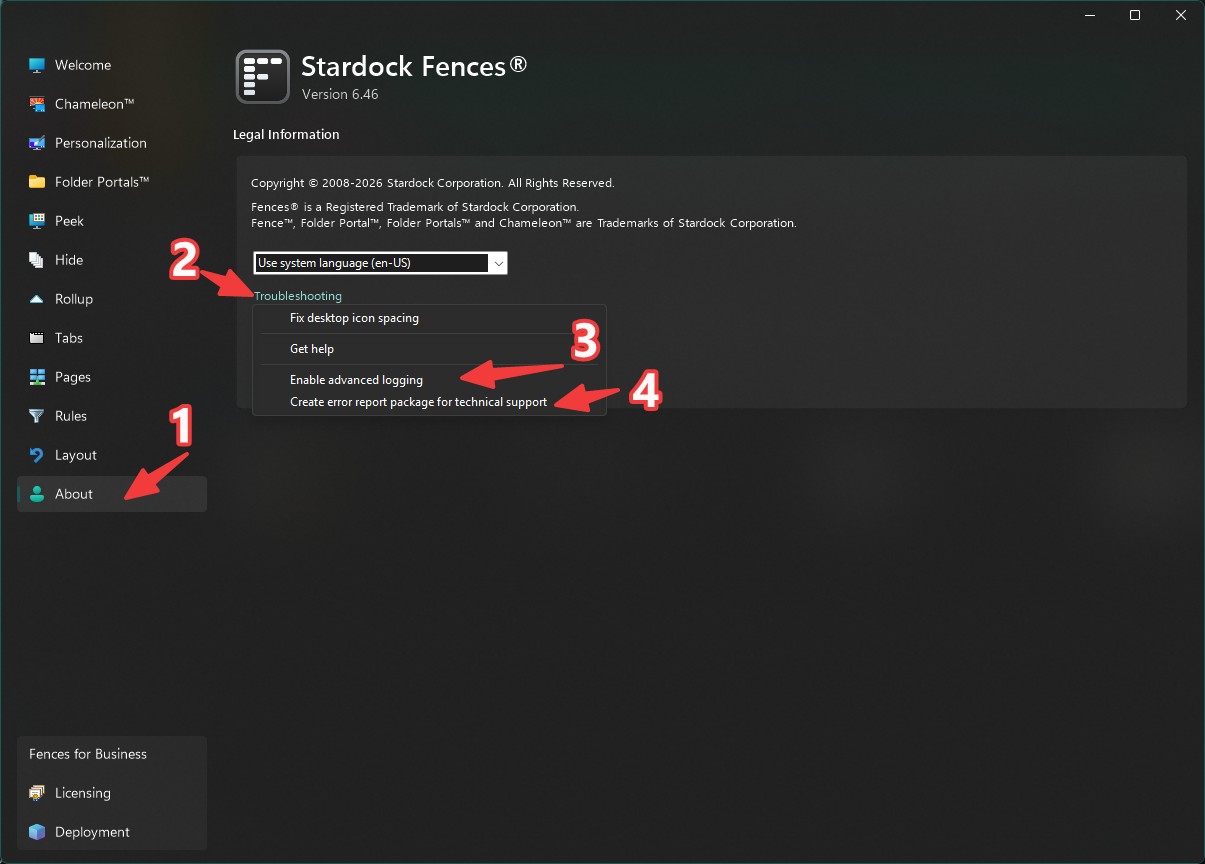
Please turn on the Advance logging. Reboot the system reproduce the issue. Create error report package and send in for technical support to look at.

Thank you,


Basj,
Stardock Community Assistant

Reply #6 Top

Just a side note, does it happen with every program you create a file on the desktop with?  I've noticed for a long time that some programs, like Chrome/Chromium based things, will create files on the desktop until it refreshes (manually or otherwise) while others accurately signal explorer about the creation and the icon will show up immediately.  In any case, it's an issue with the originating program rather than the desktop/Fences (in this particular case.)


Reply #7 Top

Hi, I checked Fences v4.23 on my system, but the troubleshooting options you mentioned ("Enable Advanced Logging" and "Create error report package") are not available in this version. The options shown under Troubleshooting are "Enable advanced crash reporting" and "Output multi-monitor debug report". Could you please provide alternative steps to capture the logs or create a report package for version 4.23? Thank you.

Reply #8 Top

Ah sorry, it is only available in later Fences version. No worries, I have forwarded your problem/question to Stardock Support Team for their assistance. Please keep an eye on this thread for any updates. We appreciate your feedback and patience. Thank you.

Basj,
Stardock Community Assistant

Reply #10 Top

Hi,

Quoting ???, reply 4146986

Hi, I checked Fences v4.23 on my system, but the troubleshooting options you mentioned ("Enable Advanced Logging" and "Create error report package") are not available in this version. The options shown under Troubleshooting are "Enable advanced crash reporting" and "Output multi-monitor debug report". Could you please provide alternative steps to capture the logs or create a report package for version 4.23? Thank you.

End of ???'s quote

Fences 4 has not been meaningfully updated in several years, so it was not a change in Fences 4 that is making this occur unfortunately. You will need a more recent version of Fences for latest Windows compatibility.

For the latest features and Windows compatibility updates, we encourage you to try Fences 6.  There is a free trial for the latest Fences release on the product page you can try, to see if it suits your needs.

Best regards,

Adam McGuinness
Stardock Support Specialist